CRM applications explained through how businesses actually work
What a CRM application is in practice
A CRM application is the central place where a company manages relationships with customers and prospects. It holds contact details, company information, sales opportunities, communication history, and activities across the customer lifecycle.
In theory, a CRM gives teams a shared view of customers. In practice, it often becomes just one of many business apps that store fragments of the same information.
Salesforce is a common choice for companies that need a powerful and flexible CRM. HubSpot is often used alongside it, especially when marketing and website management are handled through HubSpot’s CMS and marketing tools.
Each application works well on its own. The challenge begins when they are used together without a clear connection between them.
Why CRM applications create friction instead of clarity
Most businesses do not operate inside a single application.
Customer data moves through sales, marketing, finance, and support. Each function relies on different business apps, all of which need accurate and timely information to work properly.
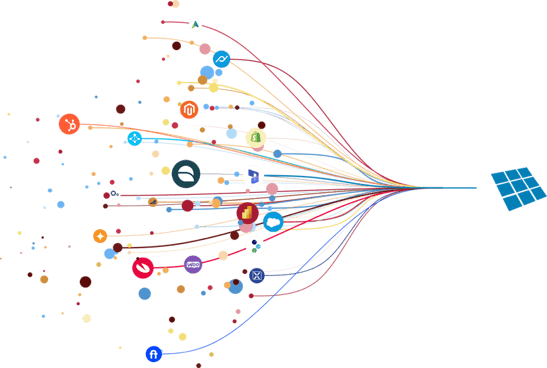
A common setup looks like this. Salesforce is used as the main CRM and holds the master customer data. HubSpot is used to manage website forms, campaigns, and content. New leads are created in HubSpot, while customer records are updated in Salesforce.
Without integration, these two applications quickly drift apart.
Contacts are created twice. Updates made in one application are not reflected in the other. Marketing works with outdated data. Sales sees incomplete histories. Reports do not match, and teams stop trusting what they see.
The CRM was meant to simplify customer management. Instead, it introduces manual work and uncertainty.
This is not a limitation of Salesforce or HubSpot. It is the result of disconnected business apps.
Why master data matters in CRM setups
Every business needs a clear answer to one question: where does the truth live?
In most CRM setups, one application should own customer data. That application becomes the master data source. Other business applications should receive and use that data, not recreate it.
When this is not defined, customer information spreads across applications. Small differences turn into large inconsistencies. Over time, teams spend more effort fixing data than using it.
A CRM application can only function as a source of truth when data flows into and out of it in a controlled way.
That control comes from integration.
How CRM integration changes the way teams work
Integration connects business apps so data moves automatically between them.
In the Salesforce and HubSpot scenario, integration ensures that customer data is created, updated, and shared according to clear rules. Salesforce remains the master application. HubSpot receives the data it needs to run marketing and website activities. Updates flow in the right direction at the right time.
Once this is in place, several things change at once.
Manual data entry disappears. Reports start showing the same numbers across teams. Marketing and sales finally work with the same customer view. The CRM begins to support daily work instead of slowing it down.
Integration does not add complexity. It removes it.
How ConnectMyApps supports CRM integration
ConnectMyApps helps companies connect CRM applications with the rest of their business apps in a way that reflects how the business actually operates.
Some organisations prefer to manage integrations themselves. For these teams, Canvas provides an integration platform where workflows can be designed, adjusted, and monitored with full control over logic and data movement.
Other organisations prefer to have integrations handled for them. In these cases, ConnectMyApps takes responsibility for planning, building, testing, and maintaining the integrations over time.
Both approaches exist for the same reason. Integration is not a one time task. It needs to be reliable, transparent, and aligned with how the business evolves.
Why adding more tools rarely solves CRM problems
When CRM data does not flow correctly, the first reaction is often to add another tool. A plugin, a connector, a workaround, and so on. This typically increases complexity rather than reducing it.
The real issue is not a lack of software. It is the absence of structured integration between the business apps already in use.
When applications are properly connected, the need for extra tools disappears. The CRM becomes part of a wider setup where information moves automatically and consistently.
A CRM application is only as useful as its connections
A CRM application plays a central role in most organisations. But it cannot deliver value in isolation.
Its impact depends on how well it is connected to marketing platforms, finance applications, support tools, and reporting solutions.
When those connections are missing, the CRM becomes another place to update data. When they are in place, it becomes a reliable foundation for the entire business.
The difference is not the CRM itself. It is how well the business apps around it are connected.
That is the problem ConnectMyApps exists to solve.